



Introduction
Welcome to The Indian Guy. Today,1 I bring you a detailed article about the DJI Osmo 360 review. On this channel, we only review gadgets that we personally use. After using this camera for over 6 months, I’m sharing my real, honest experience with you. Make sure you’re subscribed to the channel, and let’s get started.
Table of Contents
1.What’s in the box?
Let’s first talk about what comes inside the box.
Inside the box you receive:
- DJI Osmo 360 Camera.
- Invisible selfie stick.
- Invisible selfie stick.
- Set of three batteries.
- Lens protective cap.
- Accessories included in the Adventure Combo.
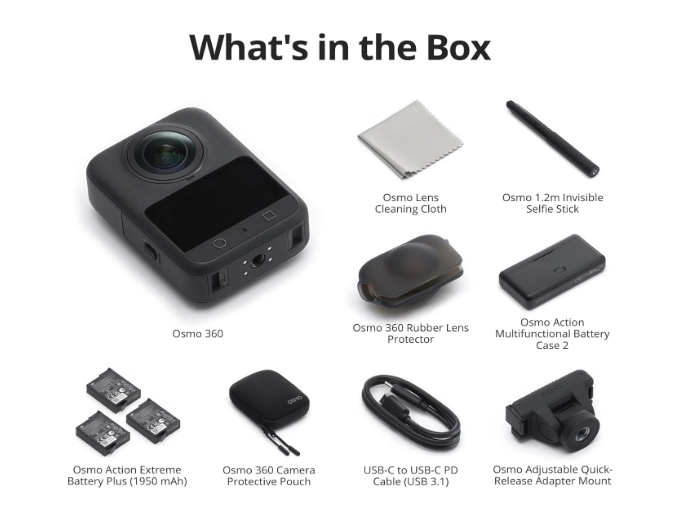
If you purchase the camera standalone, some of these accessories will not be included. As said in DJI Osmo 360 review .
2.Price (at the time of the video)
On the recording date:
- Adventure Combo: ~$$48,000 on Amazon.
- Standalone DJI Osmo 360: ~$$38,000.
Check Latest Price Of DJI Osmo 360 Price
I bought this camera about 6 months ago, so I’m checking the current price live. The purchase link is in the description – you can check the latest price there.
3.Quick Technical Overview (Brief)
This video is about experience, not specs, but here’s a quick overview:
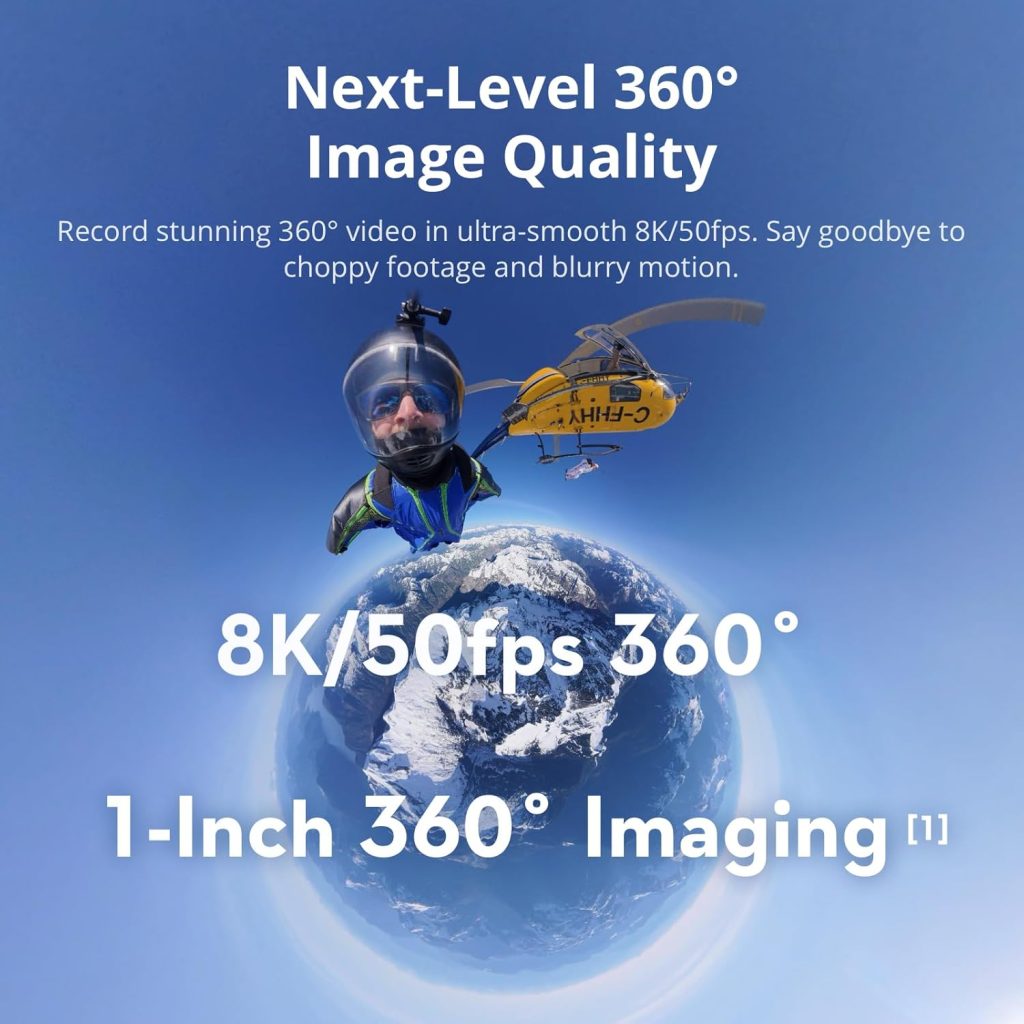
- DJI’s first dedicated 360° camera.
- Records up to 8K.
- Advanced stabilization.
- Waterproof (with limitations).
- Dual cameras with 1.1-inch sensors.
- 10-bit color depth.
Recording options:
- 8K at 25 FPS.
- 5.7K at 60 FPS.
Supported modes:
- 360° video.
- Single Lens Mode.
- Photos.
- Time Lapse.
- Marker time Hyperlapse.
Specifications are available everywhere – now let’s talk about actual usage.
4.Is DJI Osmo 360 good for travel and daily vlogging?
Short answer: YES.
If you are a daily traveler or vlogger, this camera is extremely useful.
I’m currently recording using the DJI Osmo Pocket 3 and I’ve already uploaded a full review of this camera.
Comparison:
- Osmo Pocket 3 is excellent.
- But the Osmo 360 is more convenient for travel.
Why? Because it is extremely easy to use.
Honestly, even a child can operate it. My 4-5 year old son recorded a full video using this camera.
5.Why the Osmo 360 is perfect for travel
When traveling:
- No need to worry about framing.
- No angular tension.
- Just press record.
Later in editing, you can decide:
- Horizontal format.
- Vertical format.
- Any angle you want.
6.Internal Storage – Big Advantage
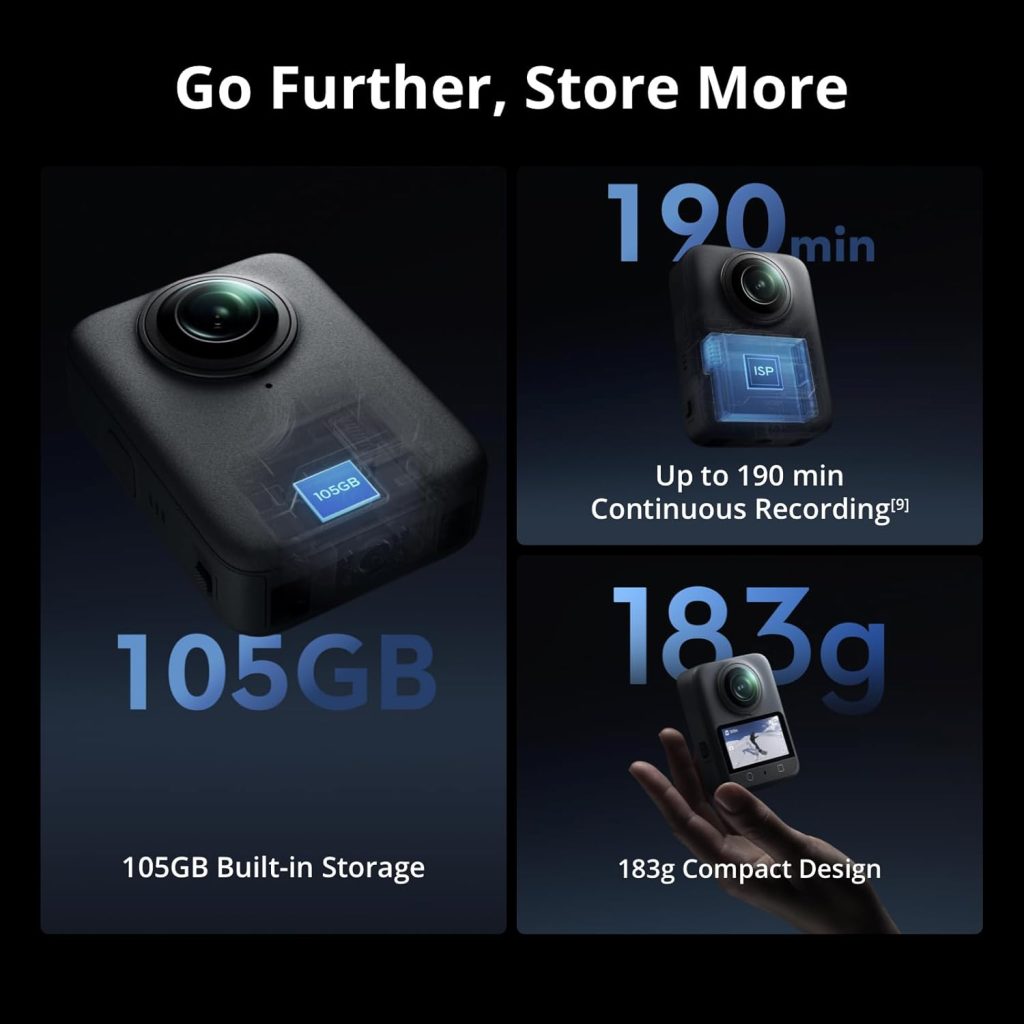
One of the best features is the 105GB internal storage.
- No memory card required.
- Ready to shoot out of the box.
Easily register:
- 20–30 minutes.
- Up to 1 hour of footage.
Perfect for out-of-the-box travel photos.
7.Actual travel use
I have used this camera in:
- Delhi.
- Dubai.
- Multiple travel locations.
I shot:
- Travel Videos.
- Car-mounted footage.
- Hiking and vlog photos.
Now let’s talk about what really helped me in real life.
8.Ease of shooting versus normal cameras
Normal camera:
- Insert the memory card.
- Set angle Frame photo.
- Start recording.
Osmo Pocket 3:
- Choose vertical or horizontal before recording.
- You can see DJI Osmo Pocket 3 review
DJI Osmo 360:
- Just start recording.
- Decide the format later during editing.
9.Magnetic handle and invisible wand
The camera comes with a quick-release magnetic strap:
- Easy to attach.
- Easy to remove.
- Great for quick settings.
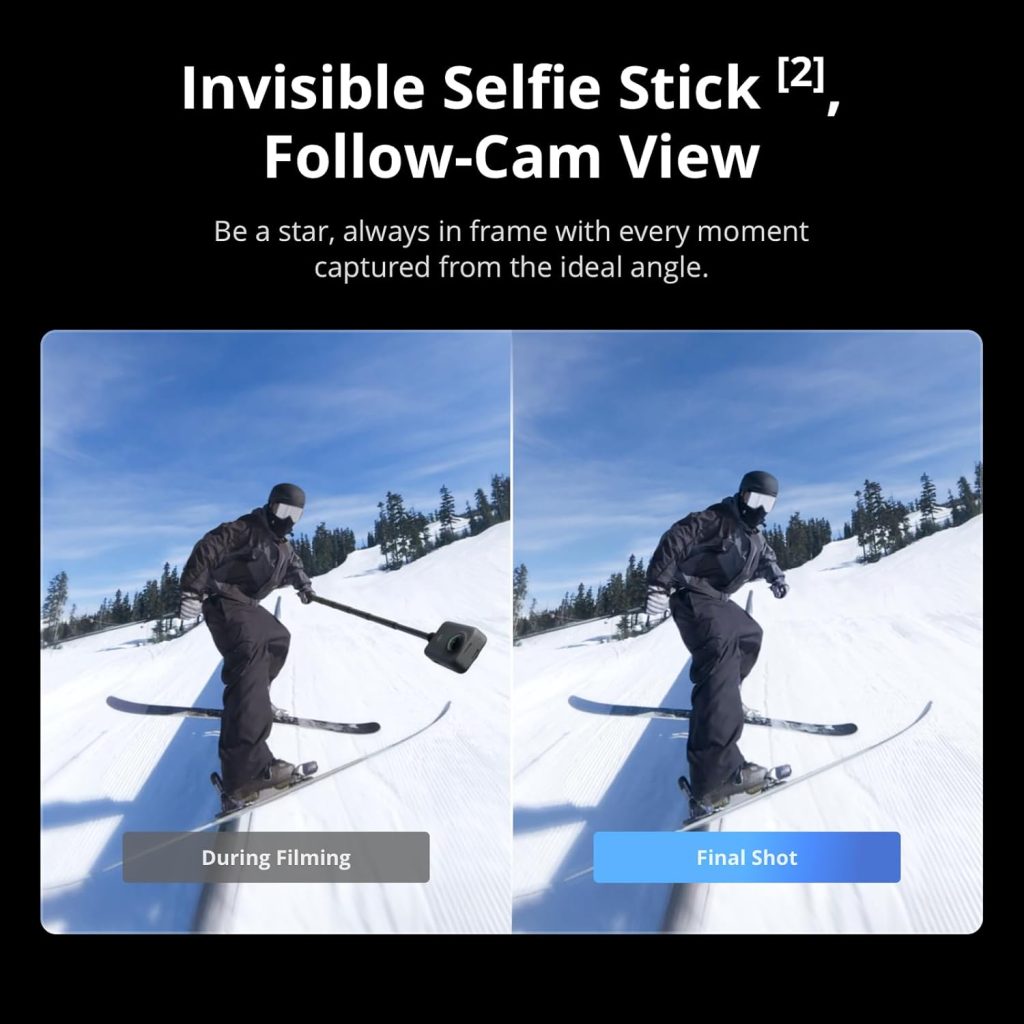
Attach the invisible stick and the camera is ready from any angle.
At the same time:
- Osmo Pocket 3 records from the front.
- Osmo 360 records from behind.
- Both angles captured together.
10.Audio quality
The DJI Osmo 360 has a built-in microphone.
I’m currently using an external microphone with the Osmo Pocket 3, but:
- The Osmo 360’s audio is clear.
- Very useful for daily vlogging.
- Easy to talk directly to the camera.
11.Batteries and charging feature
The Adventure Combo includes 3 batteries:
- Green light = charged.
- Red light = low battery.
- All green = fully charged.
Changing the battery is very quick – perfect for travel.
Hidden feature
There is a USB Type-C port:
- You can charge your phone.
- Works as a power bank.
12.Single lens and selfie mode
You don’t need 360° all the time.
Using the magnetic stick:
- Press the button.
- Tilt the camera.
- Switch to single-lens selfie mode.
You can:
- Record selfies.
- Use it as a regular vlog camera.
- Return to 360° at any time.
13.Accessories and lens protection
Many accessories are available on the market.
I personally use:
- Car support.
- Protective lens cap (very important).
⚠️ The lens is not replaceable.
Repairs must be made at DJI service centers – so always use the case.
14.Car assembly and Hyperlapse test
I mounted the camera on the glass of my car’s sunroof.
Important Tips:
- Clean the surface first.
- Use a high-quality assembly.
- Press firmly.
Even on uneven roads, the mount held the camera securely.
Using the DJI Mimo app:
- Connected via Bluetooth.
- Saw live footage.
- Remotely controlled recording.
15.Stabilization performance
Stabilization is software-based automatic stabilization.
Even on bad roads:
- Footage remains stable.
- Both the Osmo Pocket 3 and Osmo 360 are excellent performers.
16.Hyperlapse and low-light performance
- Hyperlapse works.
- smoothly Low light performance is impressive.
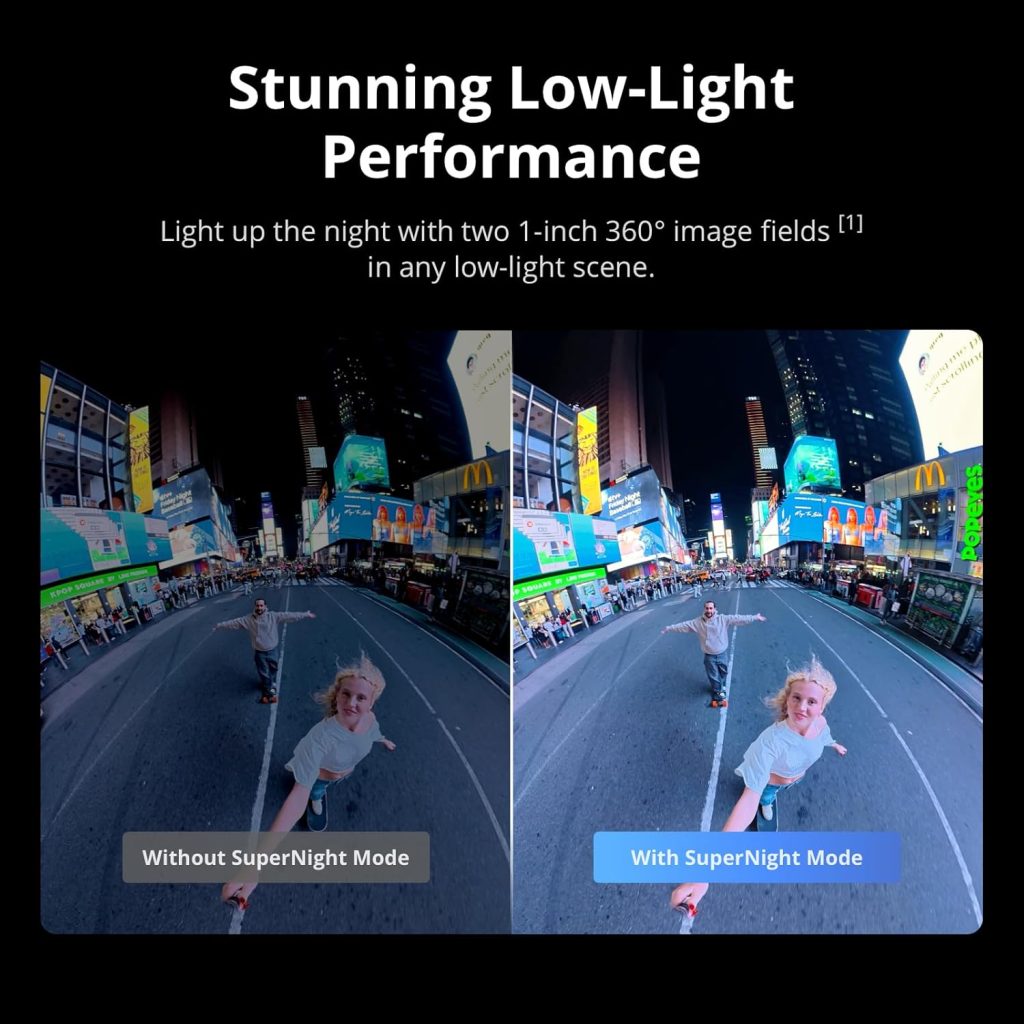
Tested on:
- Dubai clubs.
- Night cycling.
- Party scenes.
The video and audio quality was very good. As you can see in DJI Osmo 360 review .
17.Usability testing for kids
In Delhi, I handed the camera to my son:
- No instructions.
- No guidance.
- Just walk and shoot.
Later:
- I edited the footage.
- The end result was excellent.
This shows how simple and easy the camera is to use.
18.Disadvantages of the DJI Osmo 360
1. Fogging problem:
- Happens in winter or underwater.
- A slight fog appears.
- Usually disappears quickly.
2. Heating problem:
- Heats up during continuous recording.
- In cars, the AC must be kept cool.
19.Final Conclusion – Should You Buy?
If you are:
- A travel vlogger.
- A daily vlogger.
- Already using the DJI ecosystem.
👉 Yes, you should buy DJI Osmo 360 instead of Insta360.
Users of the DJI ecosystem benefit the most.
I feel like Insta360 has more experience in the industry, but I haven’t used it yet.
If you want:
- Insta360 Review DJI vs Insta360 Comparison.
👉 Subscribe and comment “Insta360” below.


No Comment! Be the first one.